TS-022: Shared mailbox opens but cannot send from it
Resolved an Exchange Online shared mailbox fault in which the user retained Full Access but could not send as the mailbox. Service Desk isolated the permission gap, escalated the privileged change and validated successful delivery before closure.
Scenario
Kate Jones could open the Sales shared mailbox but could not send messages from [email protected]. This indicated that mailbox access and sending permissions needed to be checked separately.
ServiceNow Ticket
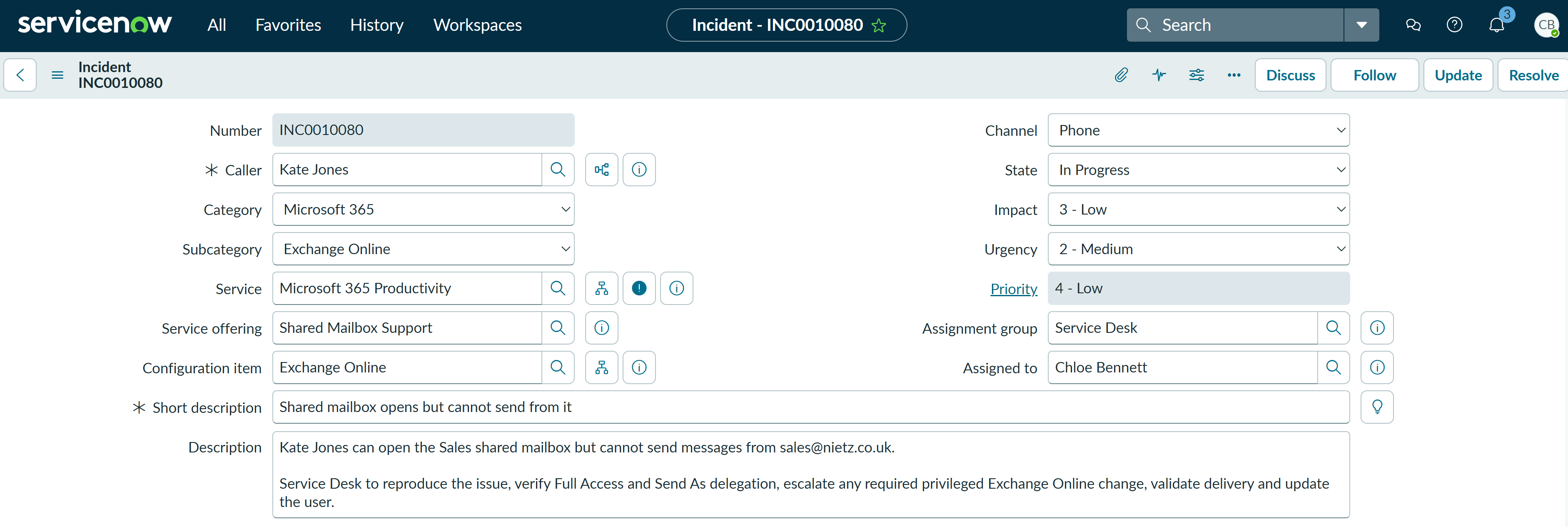
The incident was assigned to Chloe Bennett in the Service Desk and classified using the relevant service records:
- Category: Microsoft 365
- Subcategory: Exchange Online
- Service: Microsoft 365 Productivity
- Service offering: Shared Mailbox Support
- Configuration item: Exchange Online
Investigation
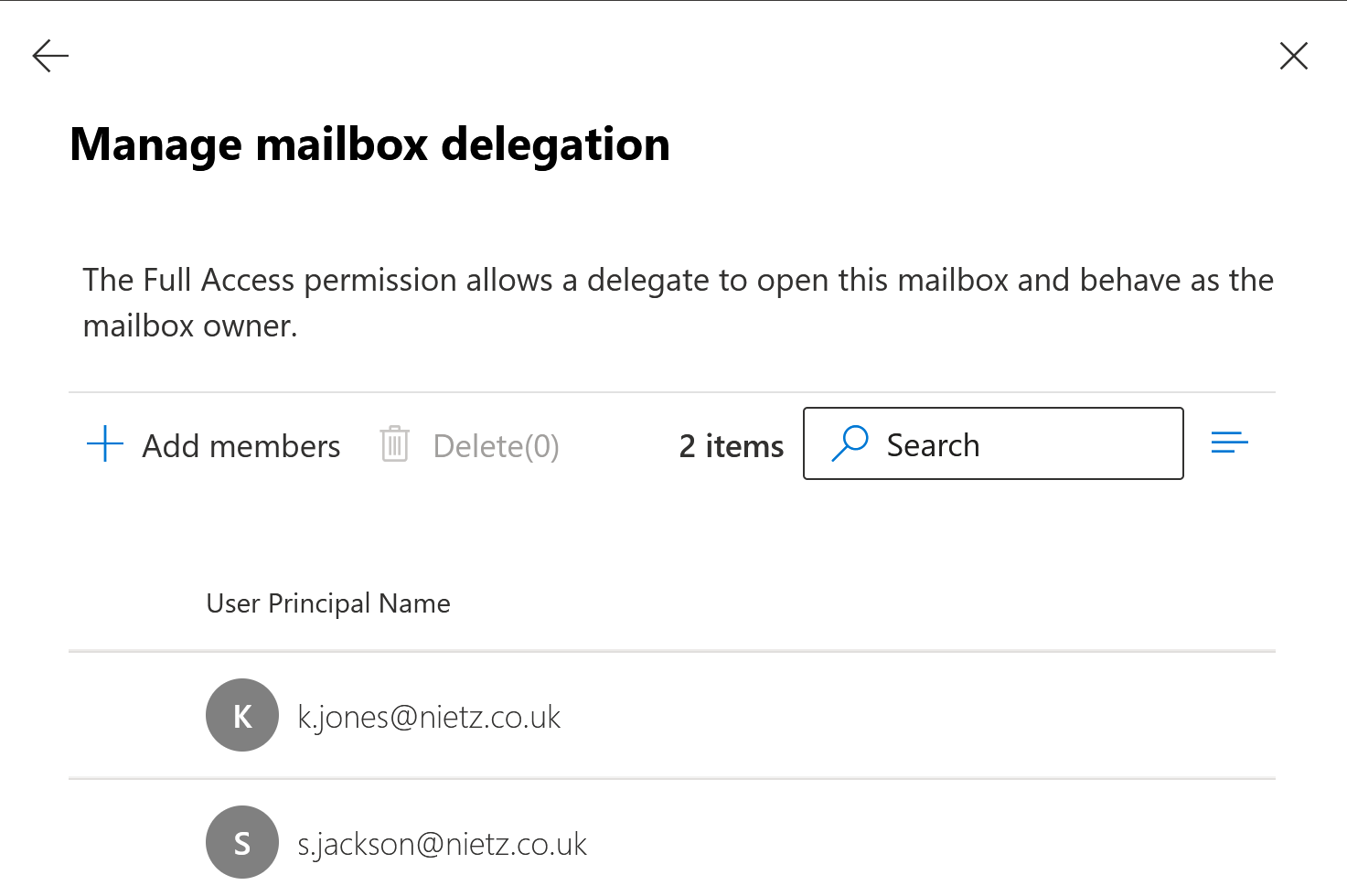
Chloe checked the Sales shared mailbox delegation settings. Kate was present under Full Access, which explained why she could open and read the mailbox.
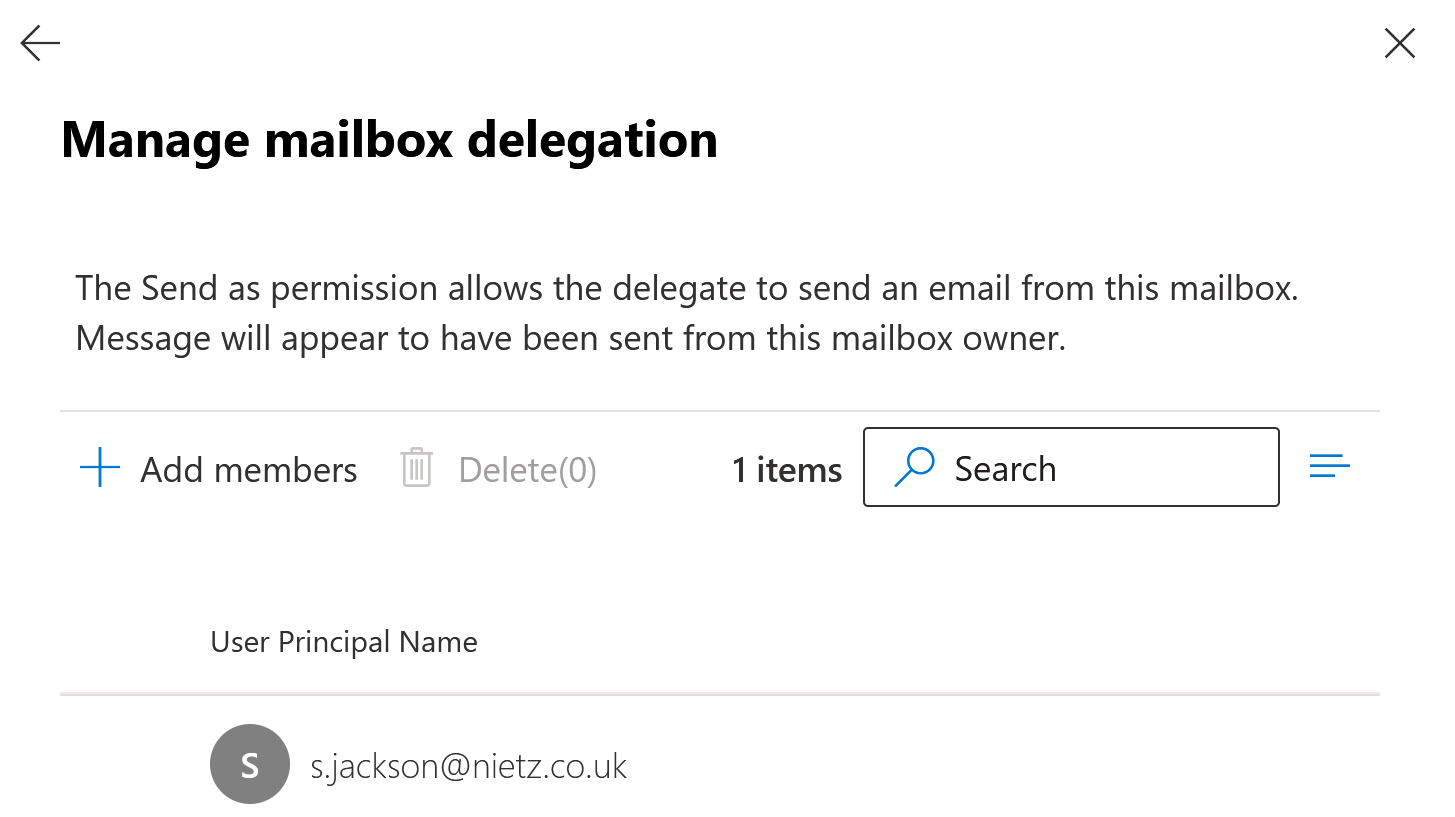
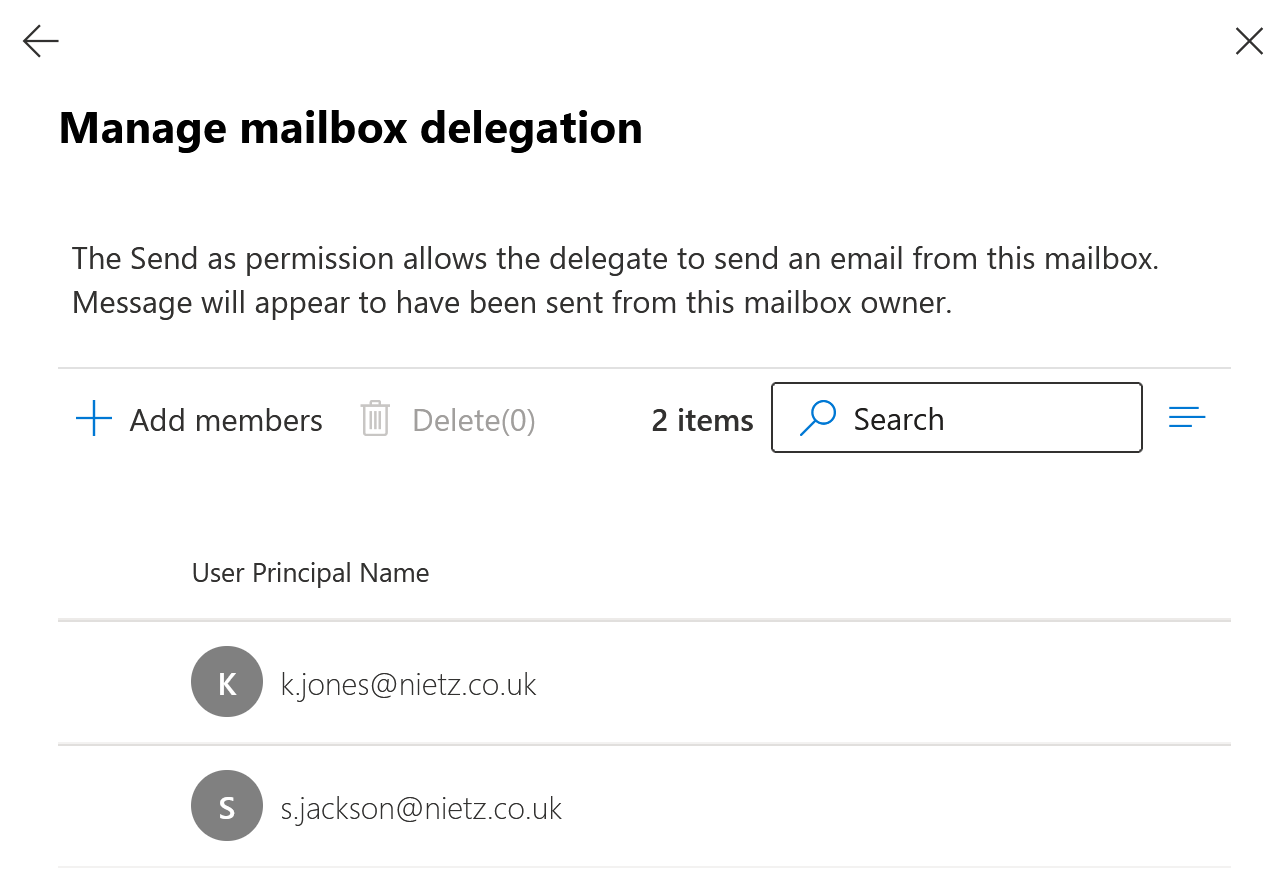
The separate Send As list did not contain Kate. This isolated the fault to the permission required to send messages using the Sales mailbox address.
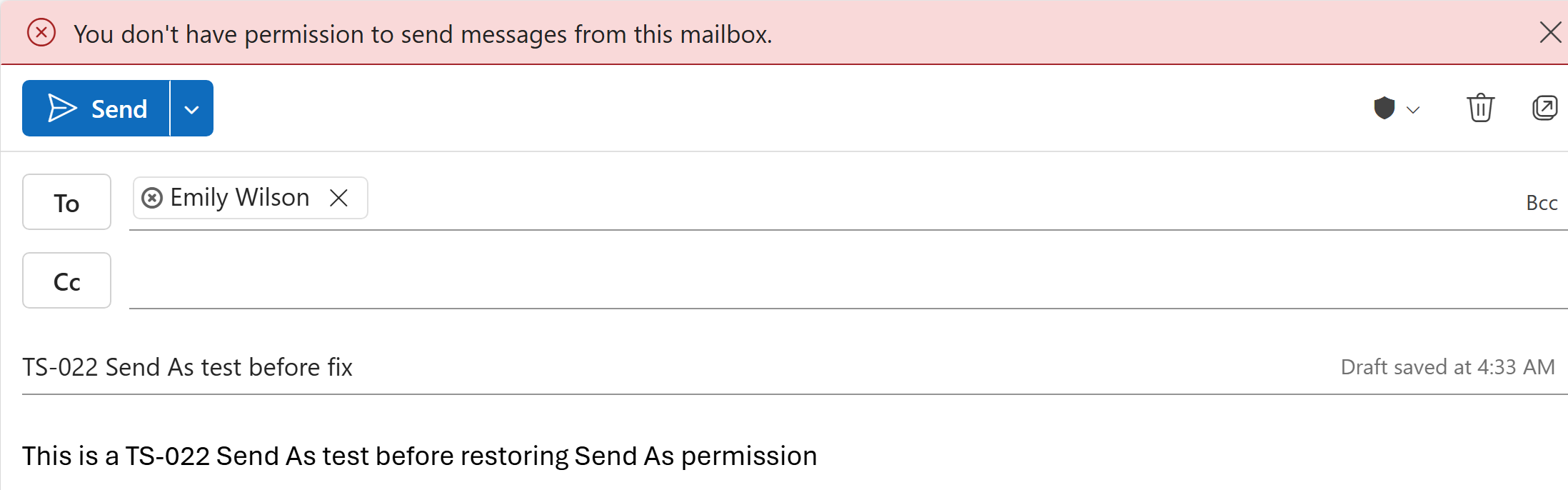
The issue was reproduced in Outlook on the web. A test message sent from the Sales mailbox returned a clear permission error.
Fix Applied
Changing shared mailbox delegation was outside the first-line Service Desk permission scope. Chloe documented the completed checks, recorded the missing Send As permission and reassigned the incident to Kristian Nietzold for the privileged Exchange Online change.
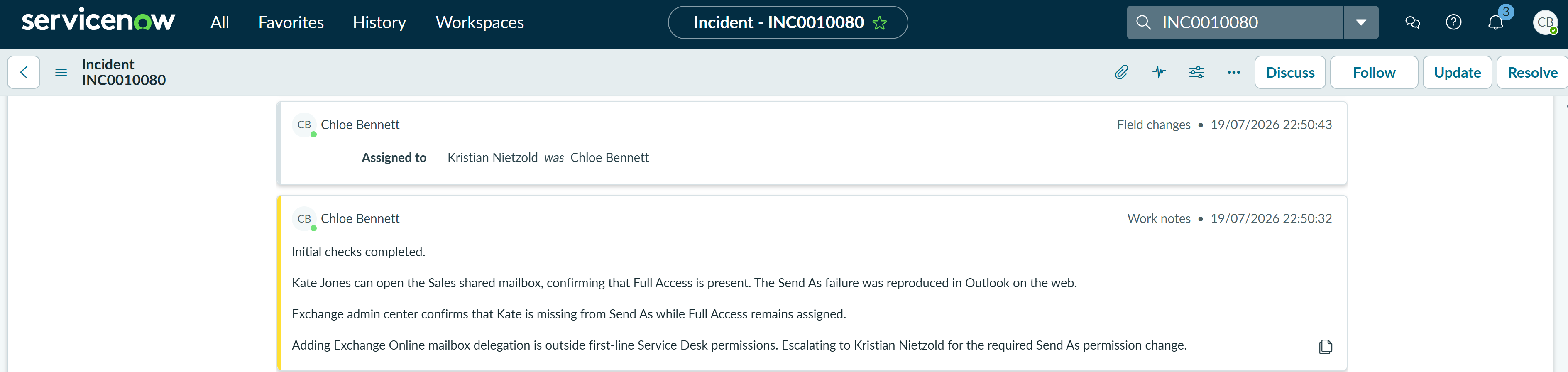
Kristian added Kate Jones to the Sales mailbox Send As delegation list. Existing Full Access permission was left unchanged, and the incident was returned to Chloe for user retesting and closure.
Validation
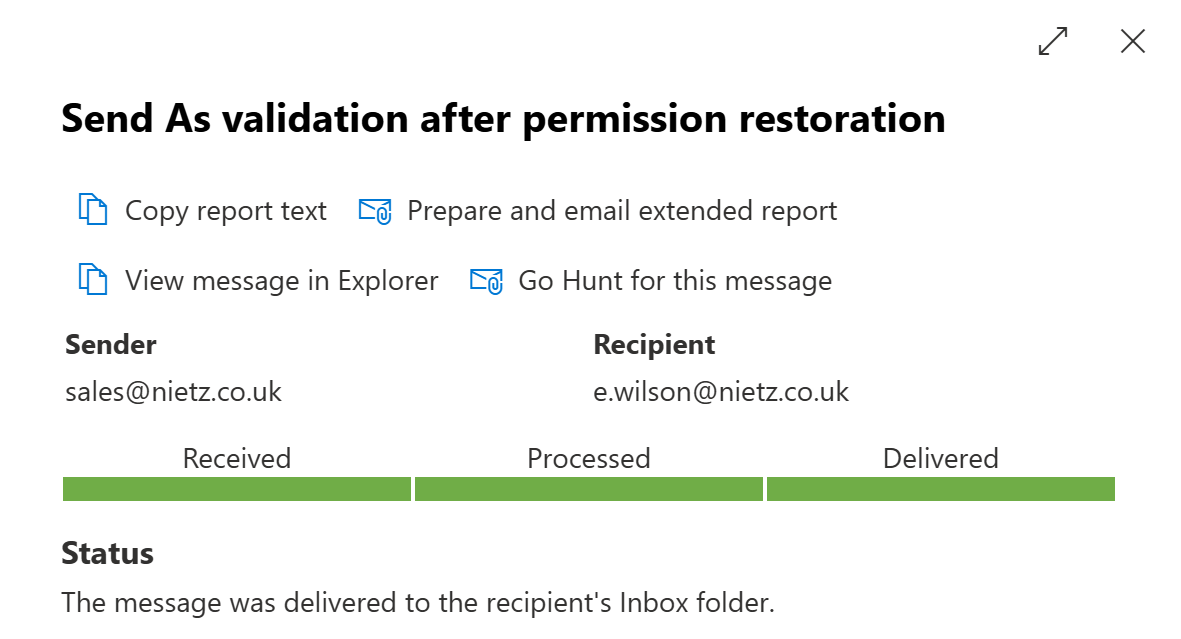
A fresh validation message was sent from [email protected] to [email protected]. Exchange message trace showed that the message was received, processed and delivered successfully. Kate then confirmed by phone that she could send successfully from the Sales address.
Resolution
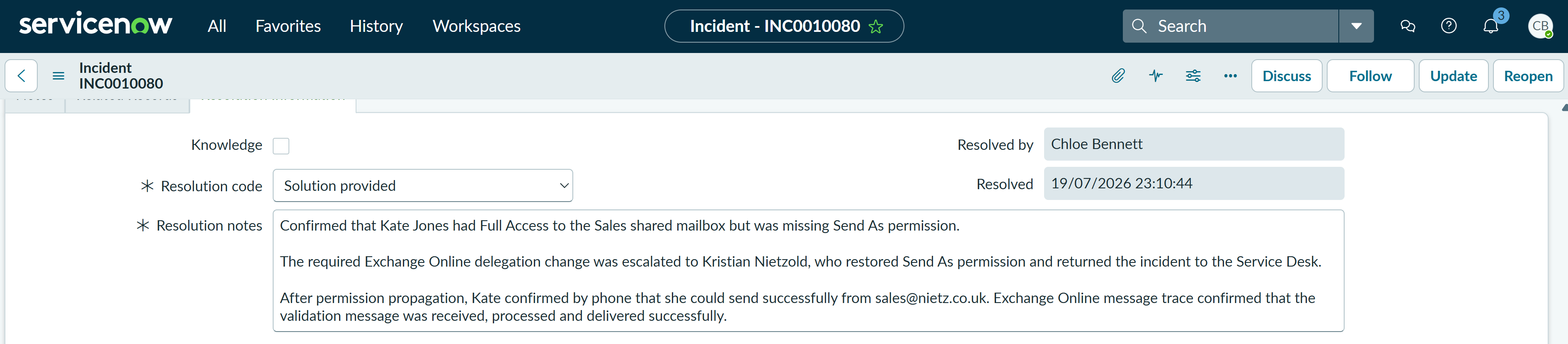
Chloe resolved the incident using Solution provided. The resolution notes recorded the original permission mismatch, escalation, privileged change, successful message trace and Kate's confirmation by phone.
Summary
- Classified a shared mailbox incident using the correct ServiceNow service, offering and configuration item.
- Distinguished Full Access from Send As permission.
- Reproduced the user-facing error in Outlook on the web.
- Documented the first-line findings and escalated the privileged permission change through the approved support path.
- Restored Send As permission without changing existing Full Access.
- Validated the fix with a fresh Exchange Online message trace and user confirmation by phone.
- Resolved the incident with clear, auditable resolution notes.