Lab 14: Hybrid Identity Sync Pilot
Deployed Microsoft Entra Connect Sync on a dedicated member server, scoped synchronisation to the Hybrid Pilot OU, validated pilot users and groups in Microsoft Entra ID and raised a ServiceNow incident for a duplicate identity discovered during validation.
Overview
This lab extended the hybrid identity readiness work from Lab 13 by introducing a dedicated synchronization server, SYNC1, and configuring Microsoft Entra Connect Sync against a controlled Active Directory pilot scope.
The implementation used OU filtering rather than synchronizing the full domain. Only the Hybrid Pilot OU and its Devices, Groups and Users child OUs were selected. Synchronization was then validated in Microsoft Entra ID by confirming that a pilot user and the hybrid pilot security groups appeared with on-premises source data.
Objective
The objective was to perform a controlled Entra Connect pilot without placing the wider Active Directory estate in scope. The lab also needed to demonstrate realistic pilot governance: validation was completed, an identity issue was identified, and a ServiceNow incident was created before any wider rollout.
Environment
| Component | Value |
|---|---|
| Company | Nietz Ltd |
| On-premises AD domain | corp.nietz.co.uk |
| Microsoft 365 / Entra domain | nietz.co.uk |
| Domain controller | DC1 |
| Domain controller IP address | 192.168.10.10 |
| Synchronization server | SYNC1 |
| SYNC1 internal IP address | 192.168.10.30 |
| SYNC1 DNS server | 192.168.10.10 |
| Synchronization tool | Microsoft Entra Connect Sync |
| Sign-in method | Password Hash Synchronization |
| Synchronization scope | OU=Hybrid Pilot,OU=Nietz Ltd,DC=corp,DC=nietz,DC=co,DC=uk |
| Pilot user validation | Kate Jones / [email protected] |
| Pilot security groups | GRP_HYB_Pilot_Users, GRP_HYB_Pilot_Admins, GRP_HYB_Pilot_Devices |
| ServiceNow incident | INC0010074 - Duplicate Chloe Bennett account identified after Microsoft Entra Connect pilot sync |
Configuration and Evidence
1. Dedicated Sync Server Prepared
I built a dedicated member server named SYNC1 for the Entra Connect pilot rather than installing the sync service on the domain controller.

SYNC1 confirmed as the dedicated server for the Entra Connect pilot.2. Internal Static IP and DNS Configured
I configured the internal adapter on SYNC1 with a static address and pointed DNS to the domain controller.
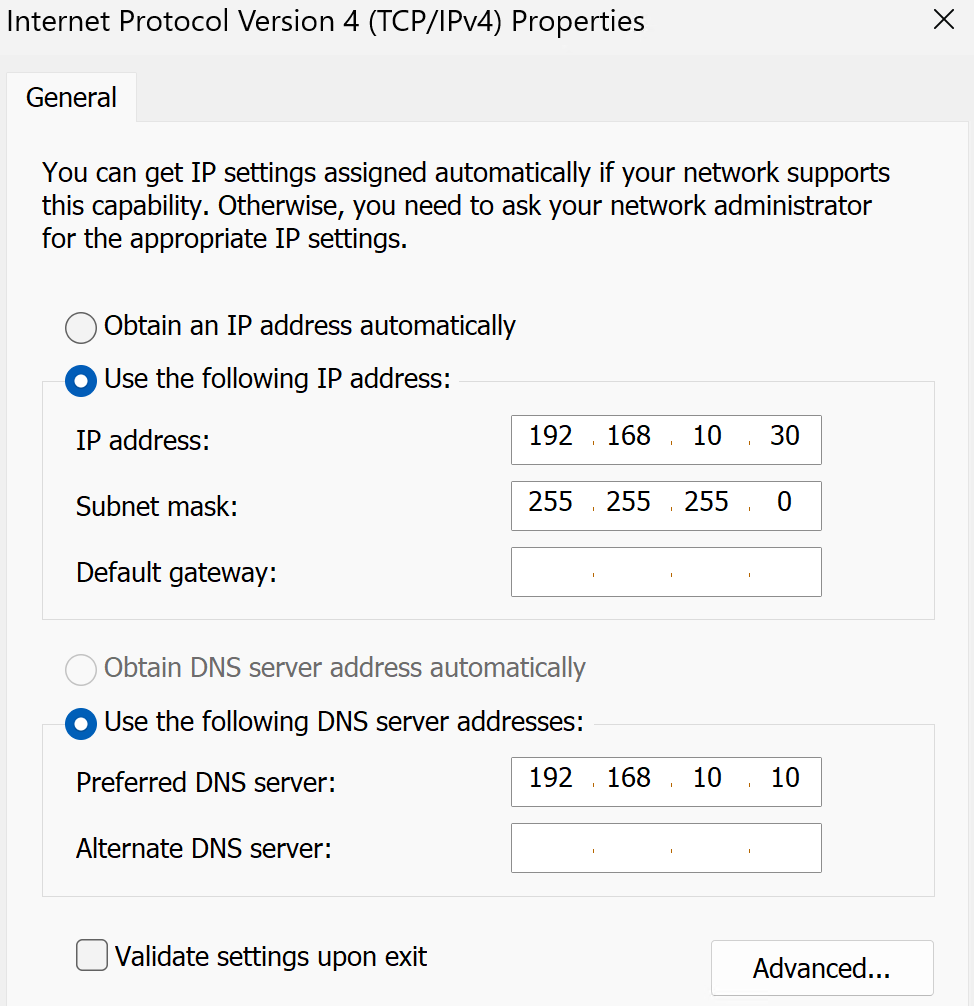
SYNC1 internal adapter configured with 192.168.10.30 and DNS server 192.168.10.10.3. Network and Domain Controller Discovery Validated
I validated that SYNC1 could resolve and contact DC1, and that domain controller discovery worked for corp.nietz.co.uk.
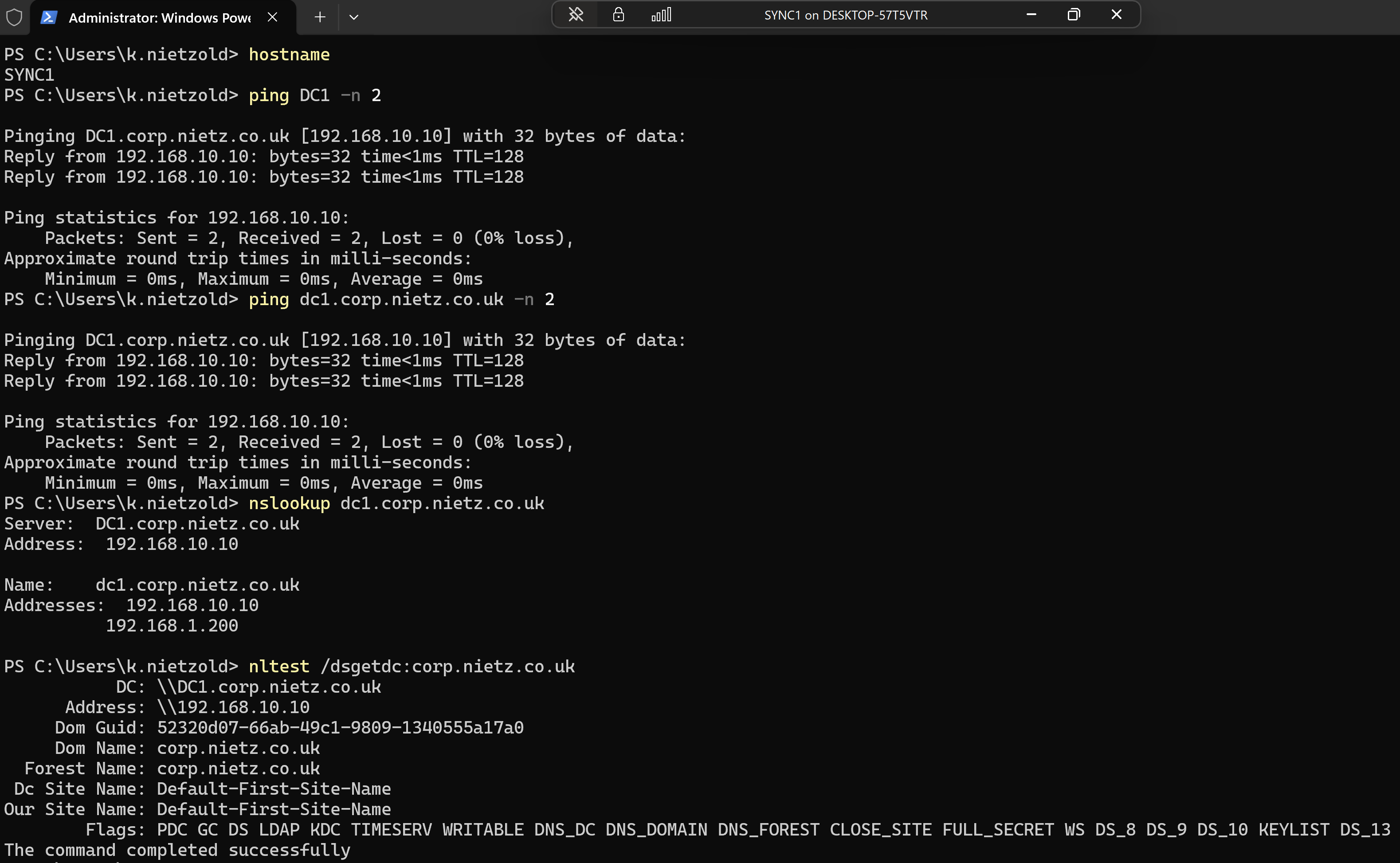
nltest /dsgetdc validation completed successfully from SYNC1.4. Domain Join Validated
I signed in with a domain account and confirmed that SYNC1 was joined to corp.nietz.co.uk.
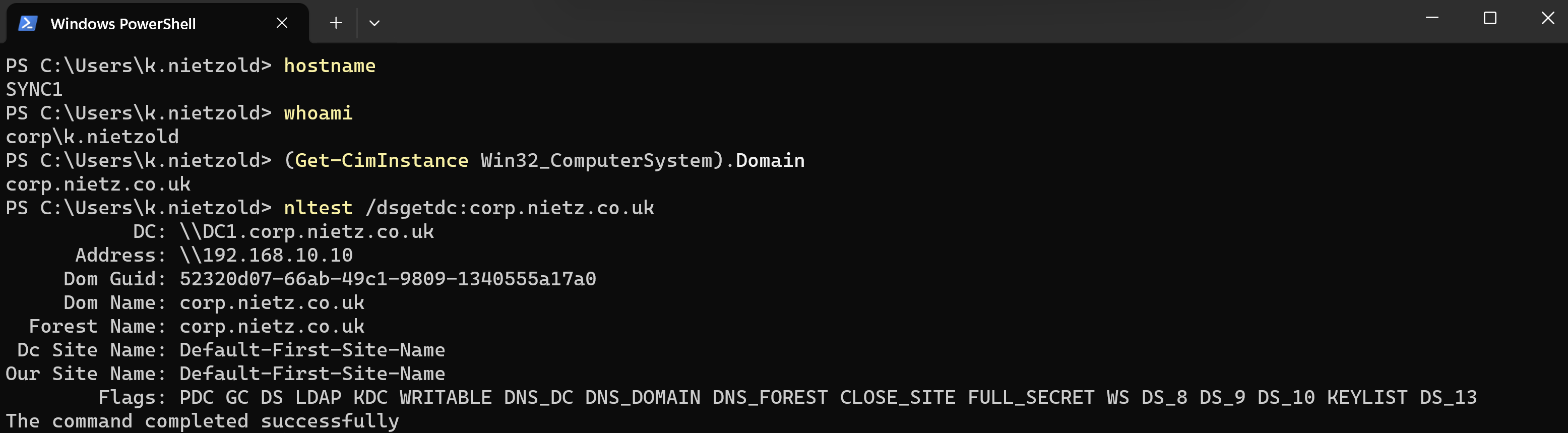
SYNC1 validated as a domain-joined member server using a domain account.5. SYNC1 Moved into the Hybrid Pilot Device OU
I moved the SYNC1 computer object into the Nietz Ltd\Hybrid Pilot\Devices OU and added a clear description to document its purpose.
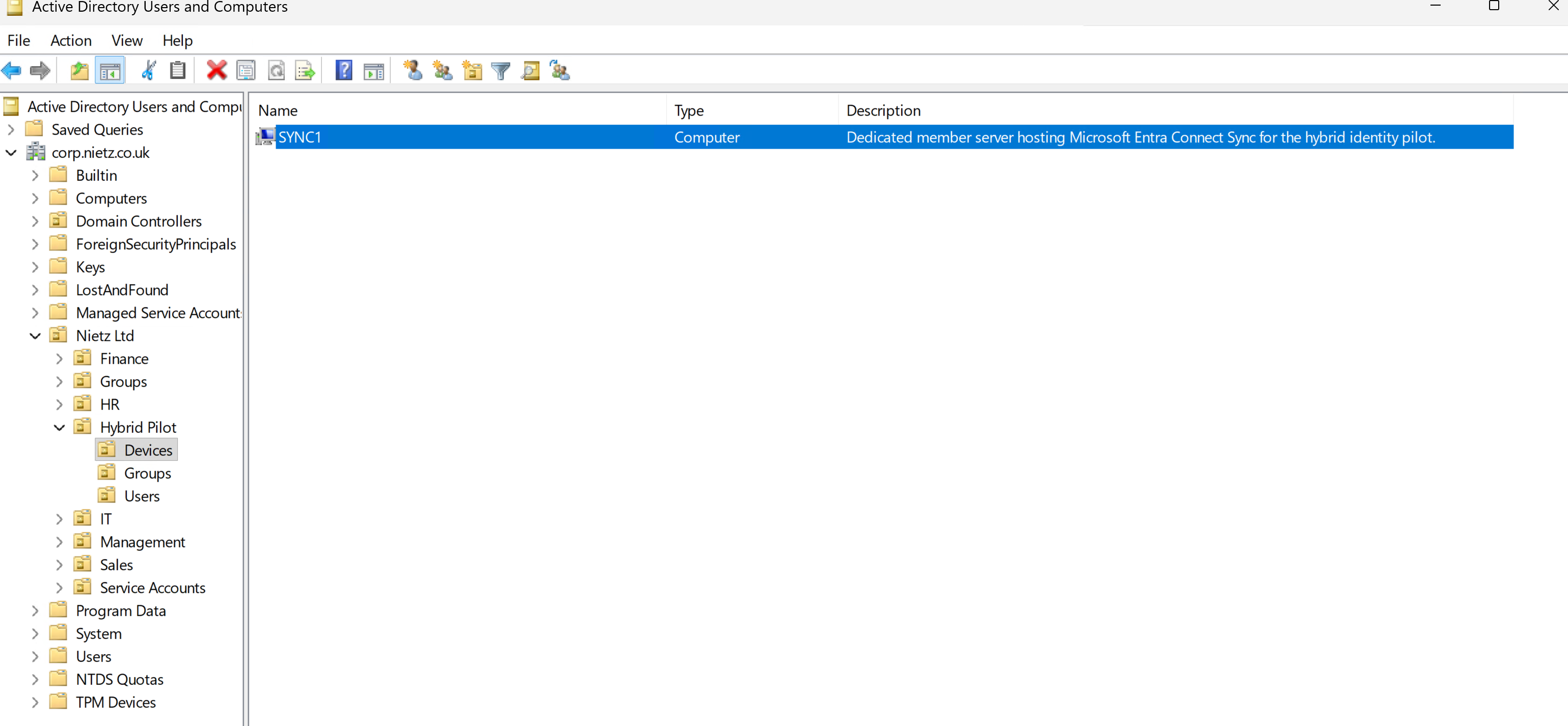
SYNC1 placed in the Hybrid Pilot\Devices OU with a synchronization server description.6. Pilot Device Group Membership Confirmed
I added SYNC1 to the GRP_HYB_Pilot_Devices security group and confirmed the membership from the group properties.
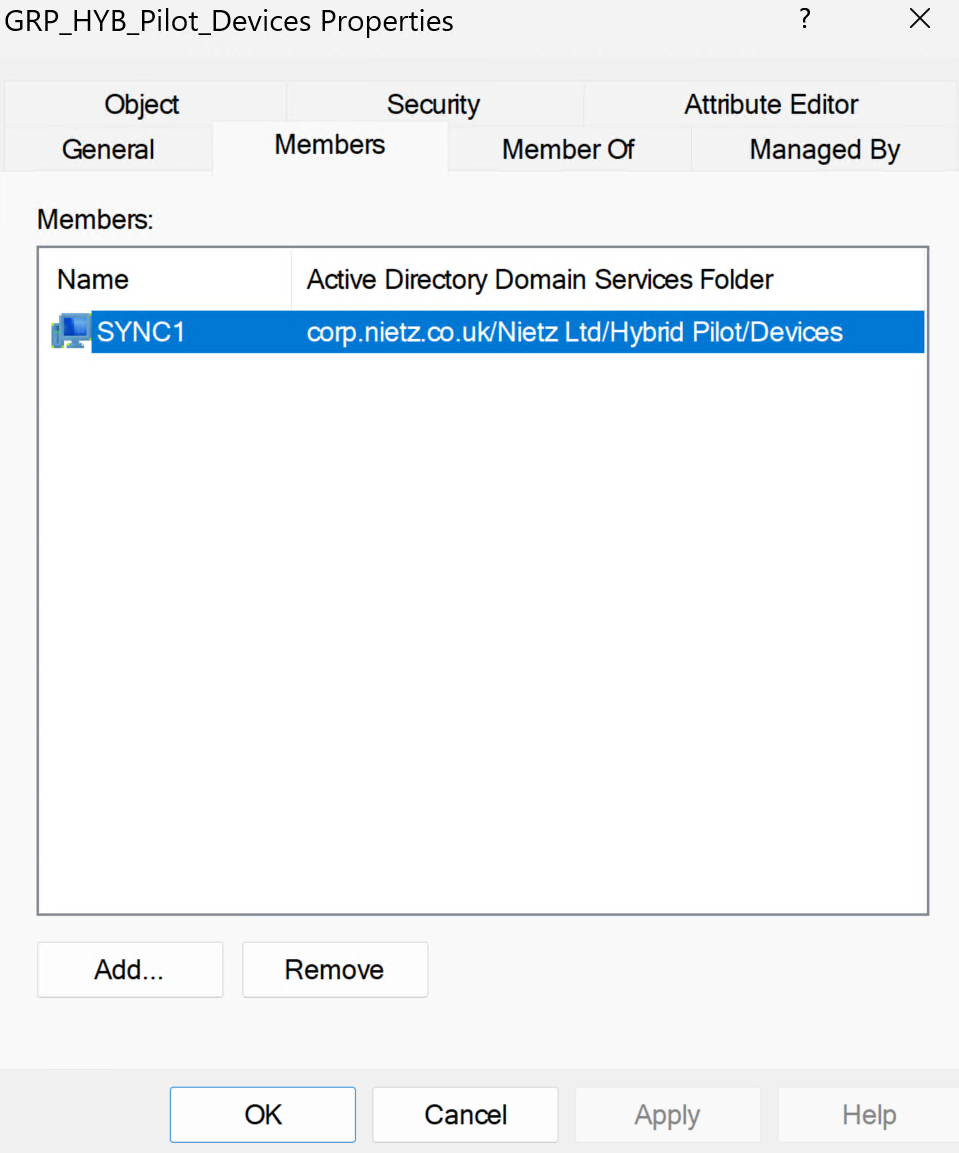
SYNC1 confirmed as a member of GRP_HYB_Pilot_Devices.7. Entra Connect Sync Setup Started
I launched the Microsoft Entra Connect Sync setup wizard on SYNC1.
SYNC1 after confirming the dedicated pilot server design and prerequisite checks.8. Active Directory Forest Connected
I connected the on-premises Active Directory forest, corp.nietz.co.uk, to the Entra Connect configuration.
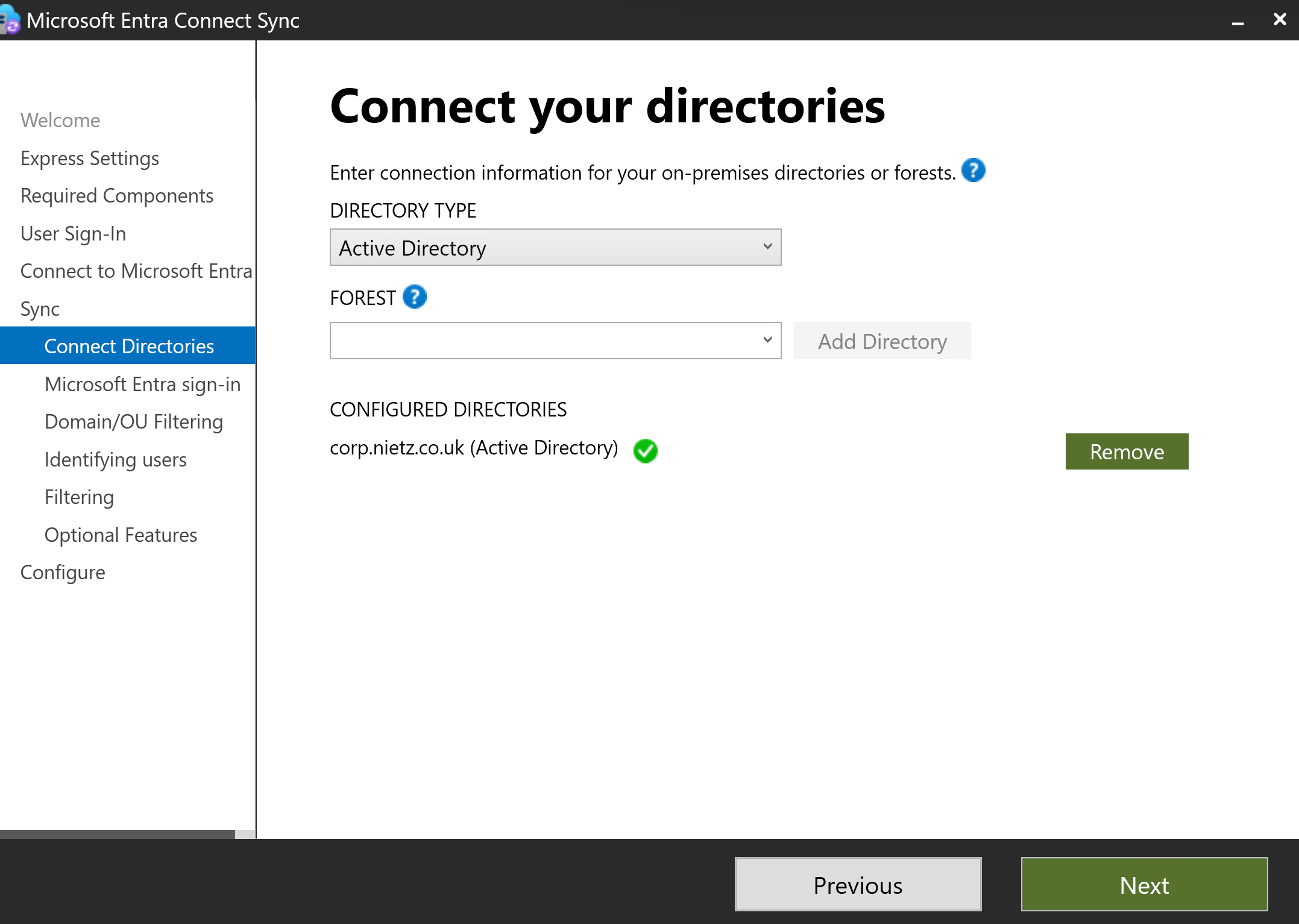
corp.nietz.co.uk connected successfully as an Active Directory directory.9. Entra Sign-In Domain Mapping Reviewed
I reviewed the UPN suffix mapping. The internal AD suffix corp.nietz.co.uk was not added to Entra ID, while the public suffix nietz.co.uk was verified.
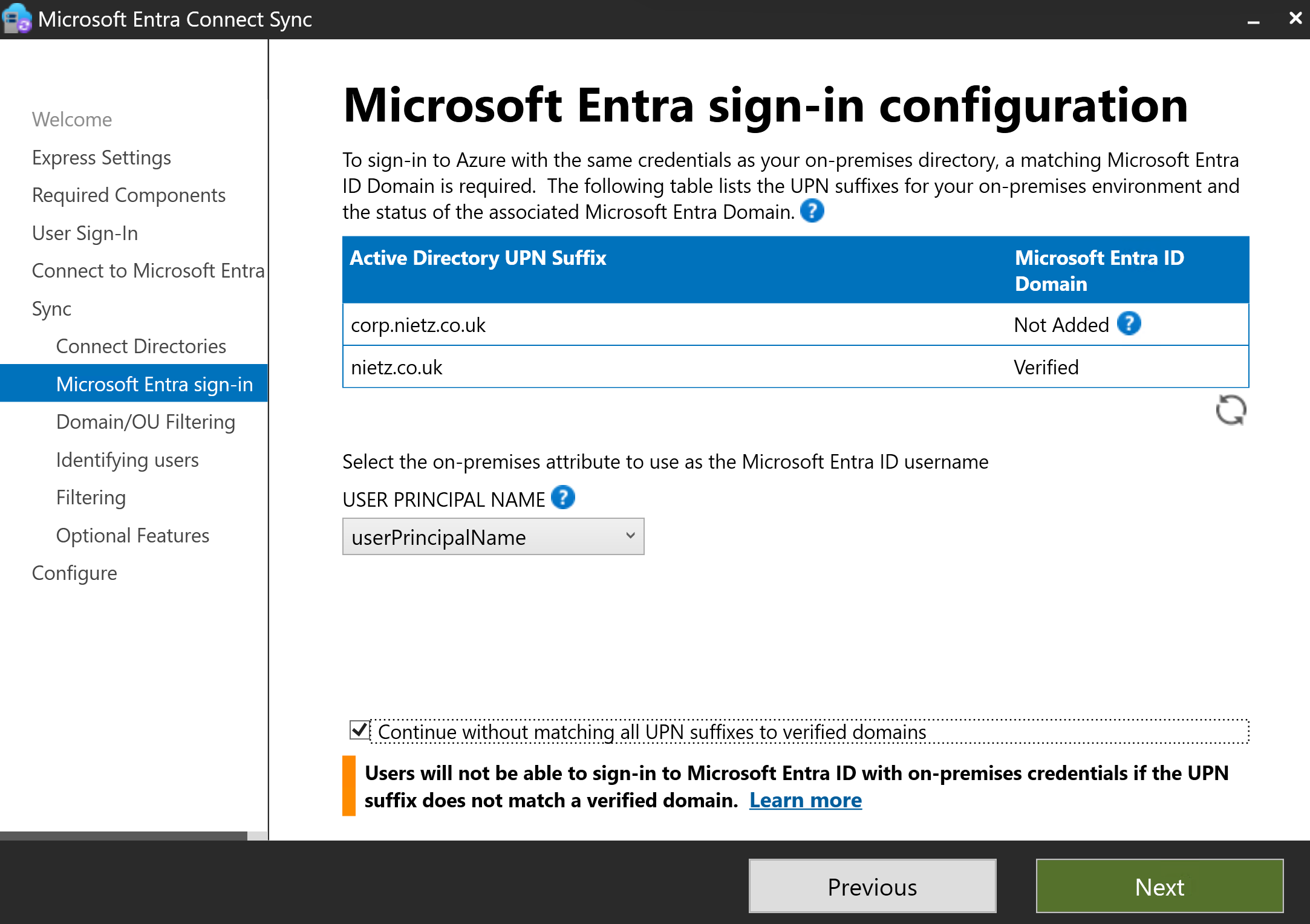
nietz.co.uk as verified and corp.nietz.co.uk as not added.@nietz.co.uk UPN suffix, so the internal AD namespace did not need to be added as a public Entra domain.10. OU Filtering Scoped to the Hybrid Pilot OU
I configured domain and OU filtering so that only the Nietz Ltd\Hybrid Pilot OU and its child OUs were selected for synchronization.
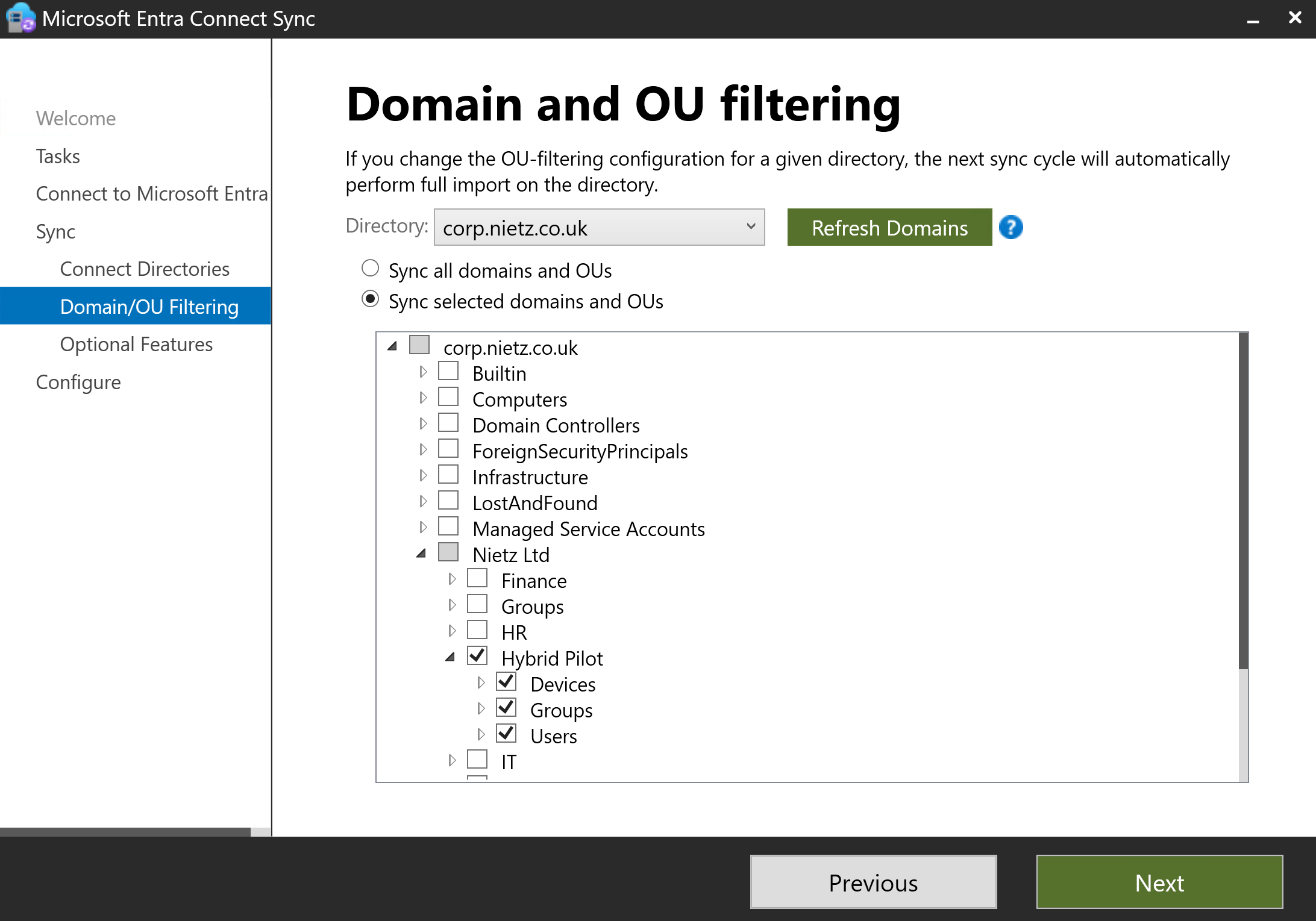
Hybrid Pilot, including Devices, Groups and Users.11. User Identity Matching Settings Reviewed
I kept the default setting that users are represented only once across all directories and allowed Entra Connect to manage the source anchor.
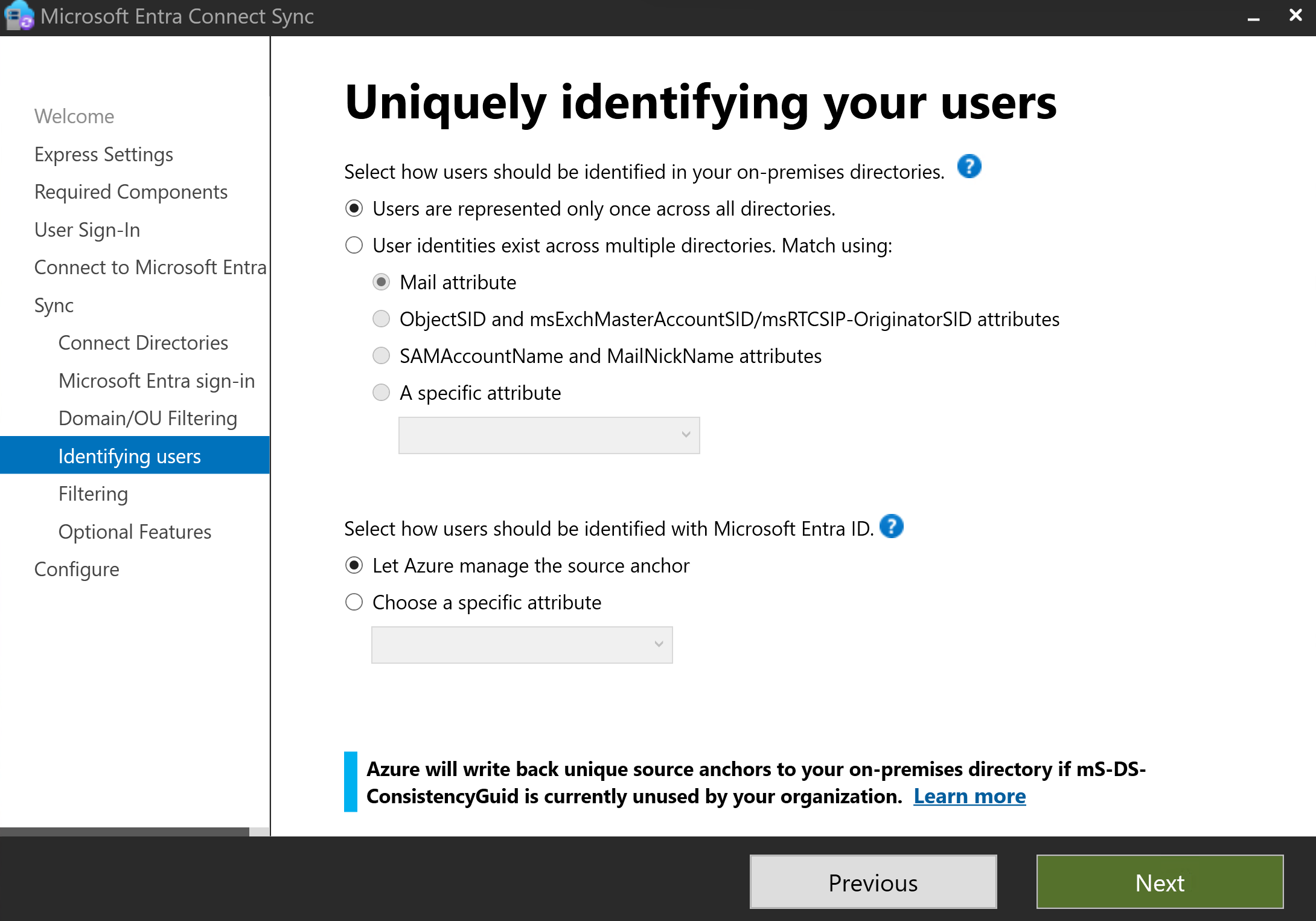
12. User and Device Filtering Reviewed
I left user and device filtering set to synchronize all users and devices because the pilot scope was already controlled by OU filtering.
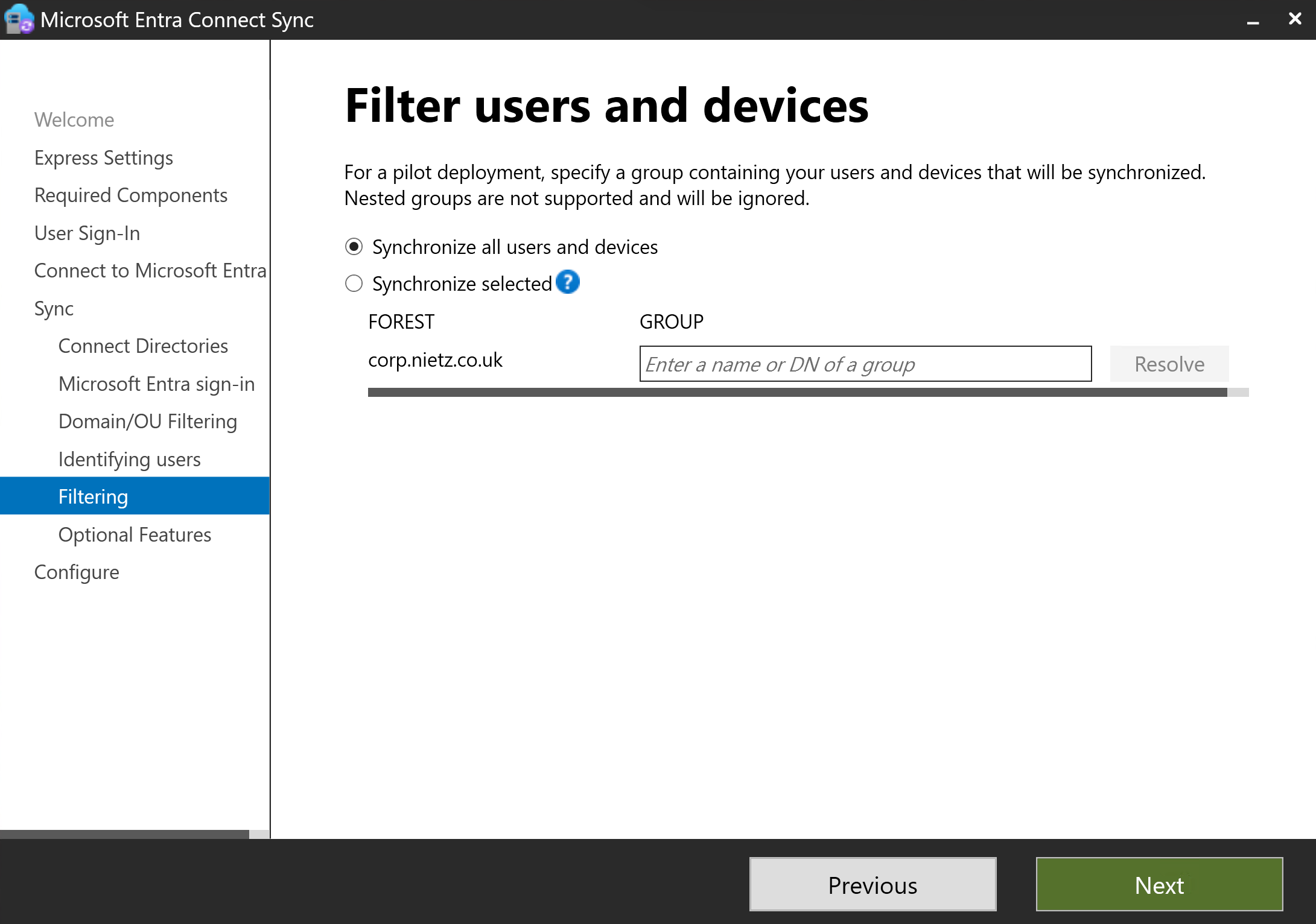
13. Optional Features Reviewed
I enabled Password Hash Synchronization and left additional optional features such as Exchange hybrid, writeback and directory extensions disabled.
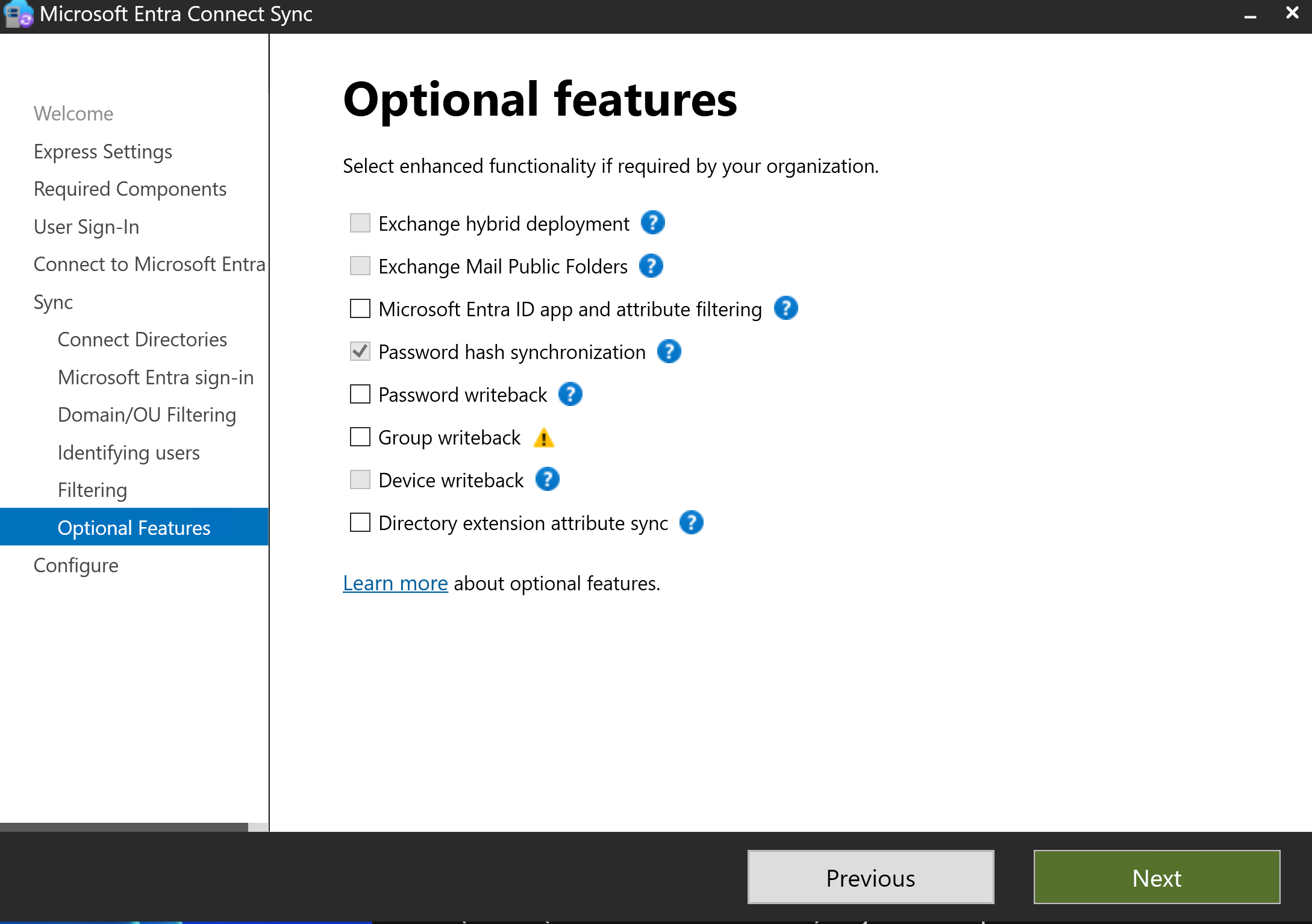
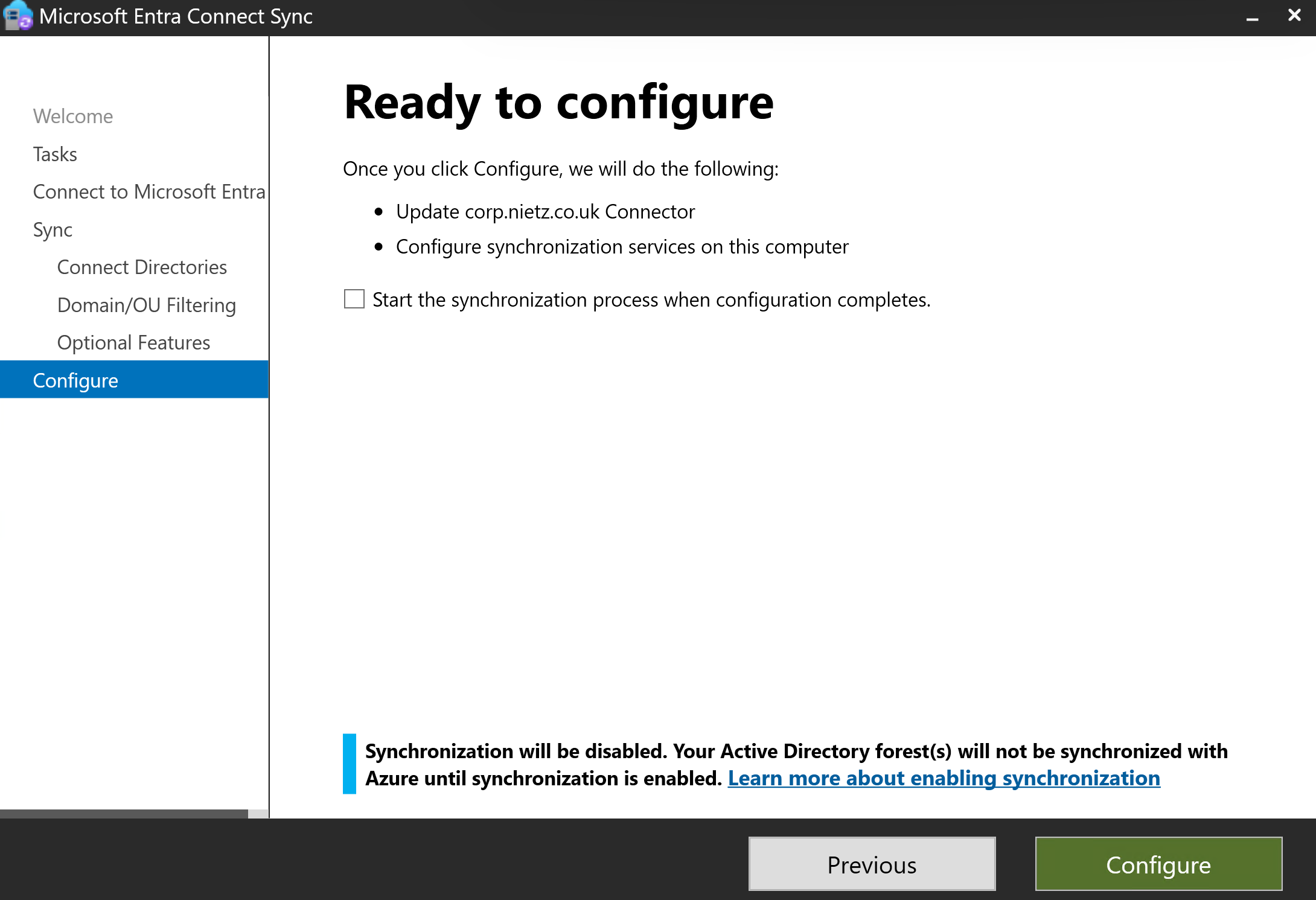
14. Configuration Reviewed Before Commit
I reviewed the final configuration before committing changes. The option to start synchronization immediately after configuration was left unchecked.
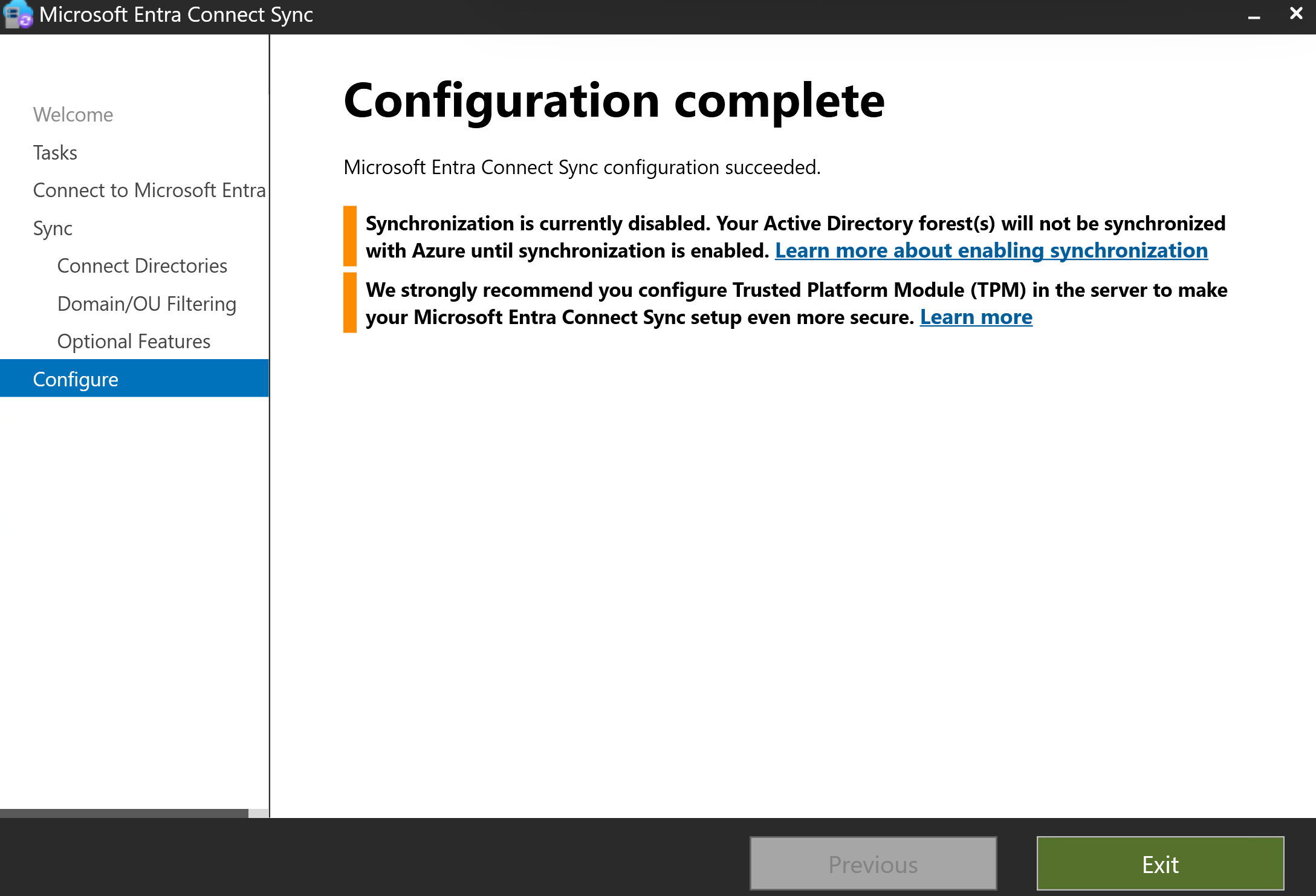
15. Entra Connect Configuration Completed
The wizard completed successfully and warned that synchronization remained disabled until explicitly enabled.
16. Pilot Users Moved into the Sync OU
I moved the selected pilot users into the Nietz Ltd\Hybrid Pilot\Users OU so they were inside the OU filtering scope before the first sync cycle.
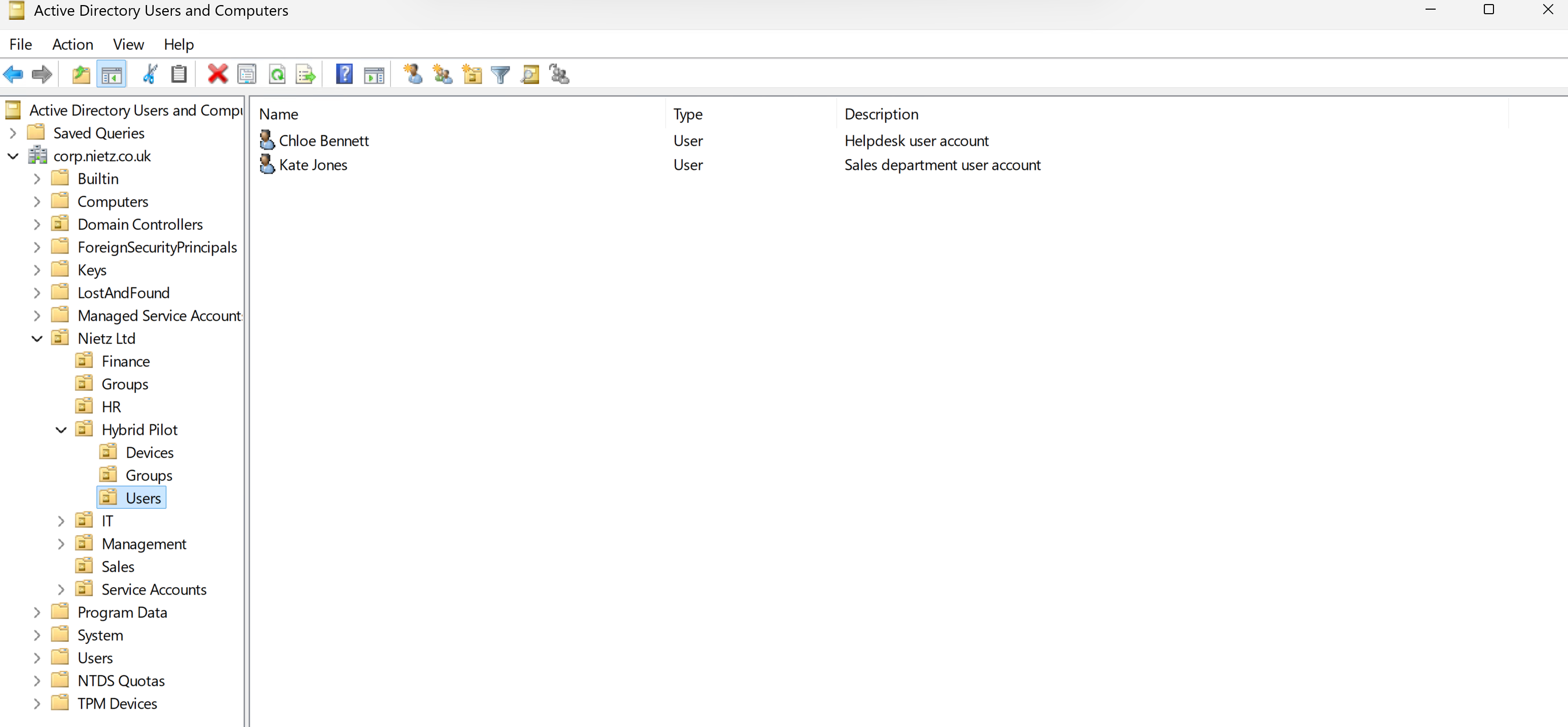
Hybrid Pilot\Users OU.17. Pilot User Group Membership Checked
I checked the AD group membership for Kate Jones and Chloe Bennett to confirm they were still in the expected pilot groups before the initial sync.
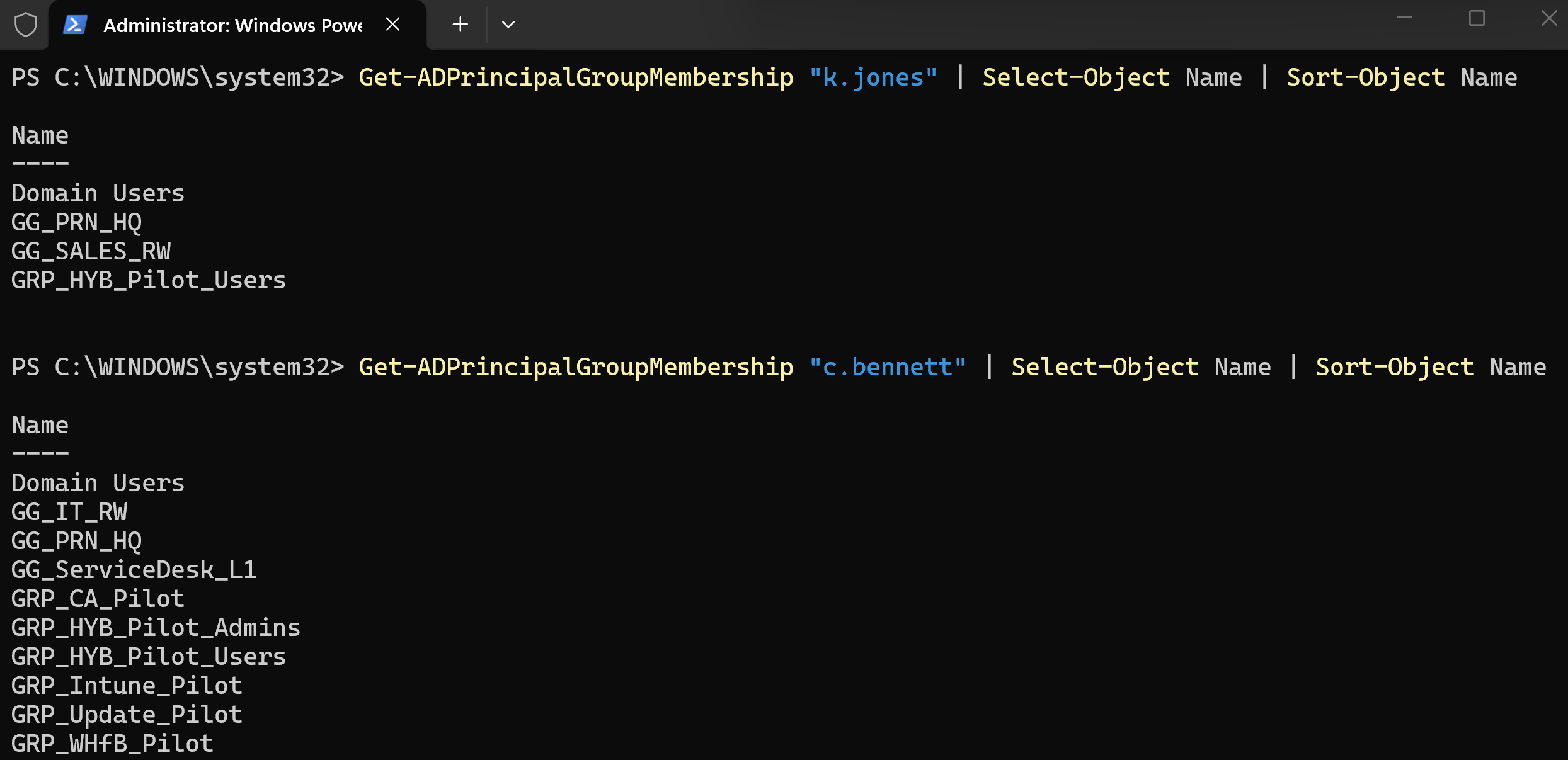
Get-ADPrincipalGroupMembership.18. Initial Synchronization Started
I imported the ADSync PowerShell module, enabled the scheduler, confirmed the scheduler state and started an initial sync cycle.
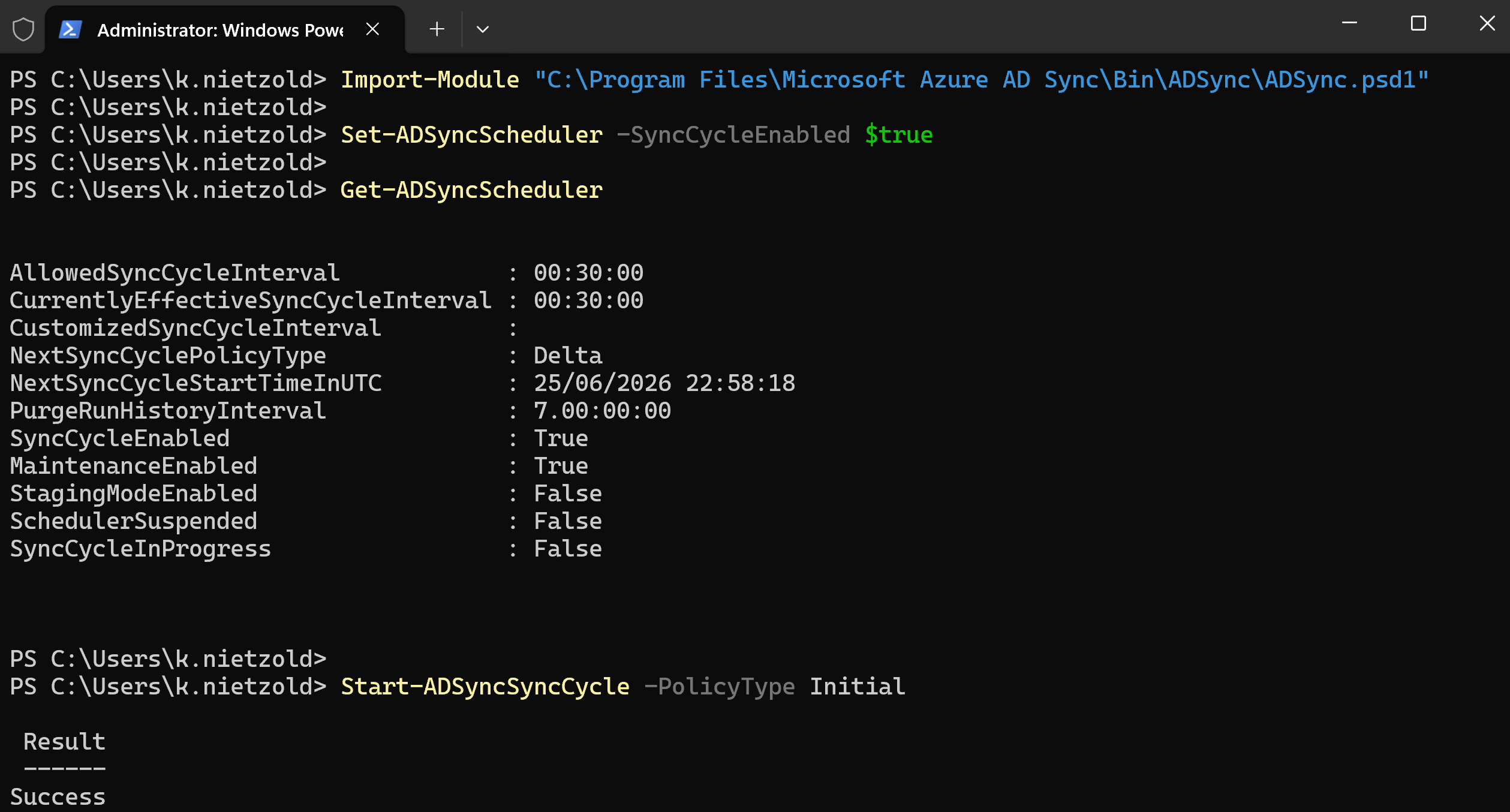
Start-ADSyncSyncCycle -PolicyType Initial completed successfully.19. Pilot User Validated in Microsoft Entra ID
I validated that Kate Jones appeared in Microsoft Entra ID with on-premises sync enabled and on-premises attributes populated.
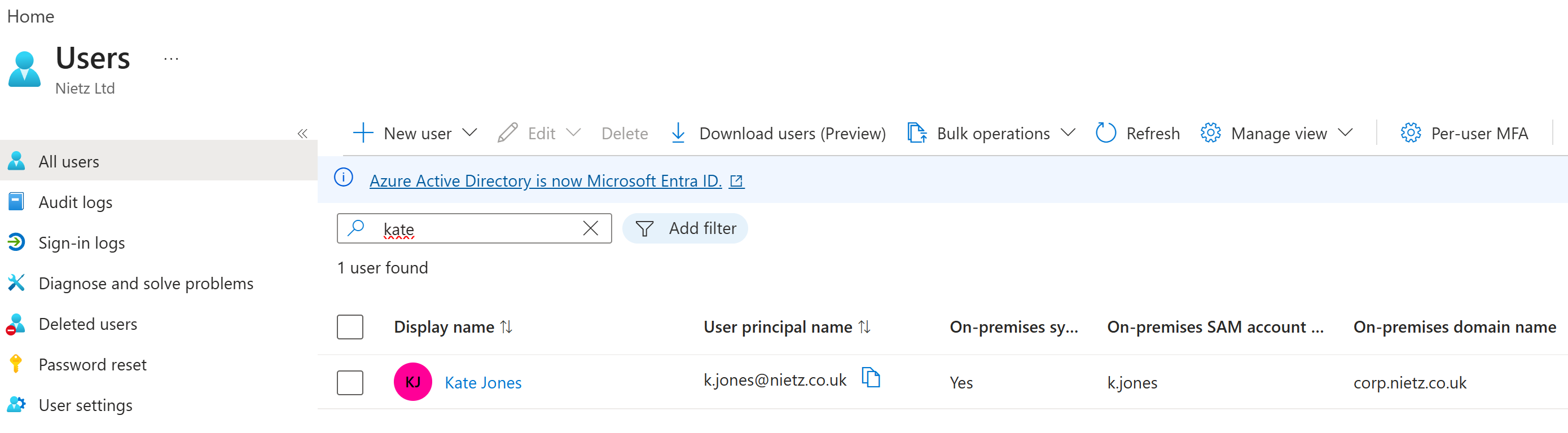
[email protected], on-premises sync enabled, SAM account k.jones and domain corp.nietz.co.uk.20. Pilot Groups Validated in Microsoft Entra ID
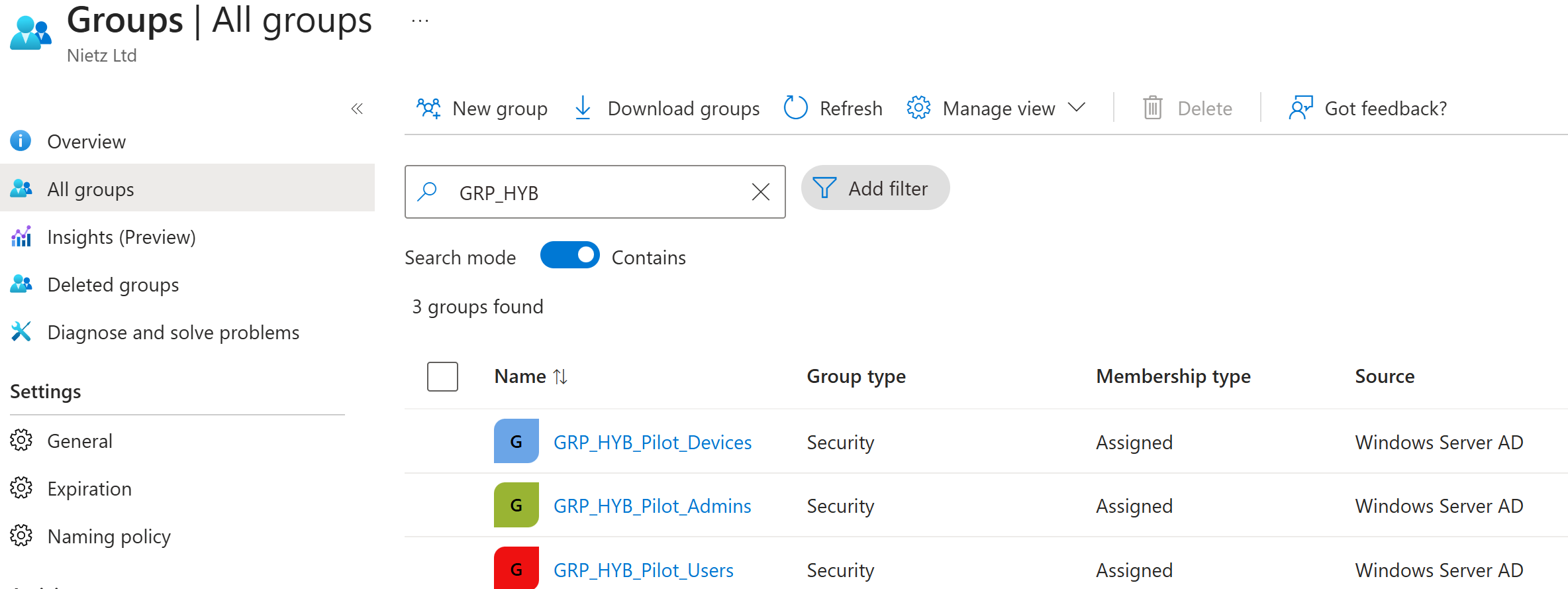
I searched for the GRP_HYB groups in Microsoft Entra ID and confirmed all three pilot groups were present with source Windows Server AD.
21. Pilot Issue Raised in ServiceNow
During validation, a duplicate Chloe Bennett identity was identified. I treated this as a pilot finding, paused wider rollout, and raised a ServiceNow incident for follow-up investigation.
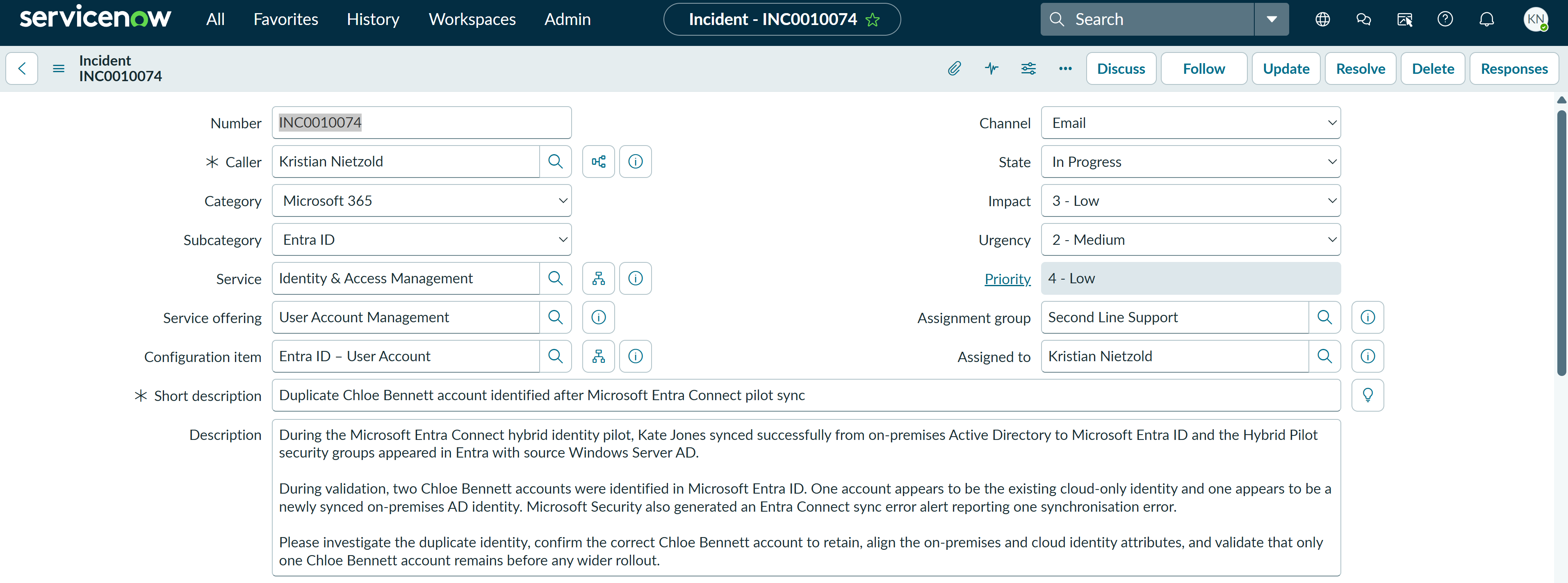
INC0010074 created for the duplicate Chloe Bennett identity found during pilot validation.Validation
The technical validation was successful. SYNC1 was domain joined, could resolve and contact DC1, and was placed into the Hybrid Pilot device scope. Microsoft Entra Connect Sync was installed on SYNC1, connected to corp.nietz.co.uk, and configured with OU filtering limited to the Hybrid Pilot OU.
After the initial sync, Kate Jones appeared in Microsoft Entra ID with on-premises sync enabled, and the three GRP_HYB pilot security groups appeared with source Windows Server AD. A duplicate Chloe Bennett identity was identified during validation and documented in ServiceNow as INC0010074 for separate remediation.
Key Technical Outcomes
This lab demonstrated a controlled Entra Connect deployment using a dedicated sync server, AD-based pilot scoping, Password Hash Synchronization, OU filtering, manual initial sync control and Entra-side validation.
It also demonstrated pilot governance. The rollout was not treated as finished simply because the first sync succeeded. A discovered identity issue was recorded as an incident so it can be investigated before expanding synchronization scope.
Summary
- I created and prepared
SYNC1as a dedicated Microsoft Entra Connect Sync member server. - I configured the internal adapter with
192.168.10.30and DNS server192.168.10.10. - I validated DNS, domain controller discovery and domain membership from
SYNC1. - I moved
SYNC1into theHybrid Pilot\DevicesOU and added it toGRP_HYB_Pilot_Devices. - I installed and configured Microsoft Entra Connect Sync with Password Hash Synchronization.
- I scoped synchronization to
Nietz Ltd\Hybrid Pilotusing OU filtering. - I moved Kate Jones and Chloe Bennett into the
Hybrid Pilot\UsersOU for the controlled pilot sync. - I manually enabled the scheduler and started an initial synchronization cycle.
- I validated Kate Jones and the three hybrid pilot groups in Microsoft Entra ID.
- I raised ServiceNow incident
INC0010074for a duplicate Chloe Bennett identity discovered during validation.