Google Workspace 07: Gmail Configuration
Gmail safety, mail protection and email configuration evidence.
07. Gmail Configuration
Configured Gmail safety and mail-protection controls for secure organisational email.
The focus is on protecting users from threats while enabling essential business workflows.
Spam, Phishing and Malware Protection
Enhanced Gmail safety settings were configured to reduce malicious email risk.
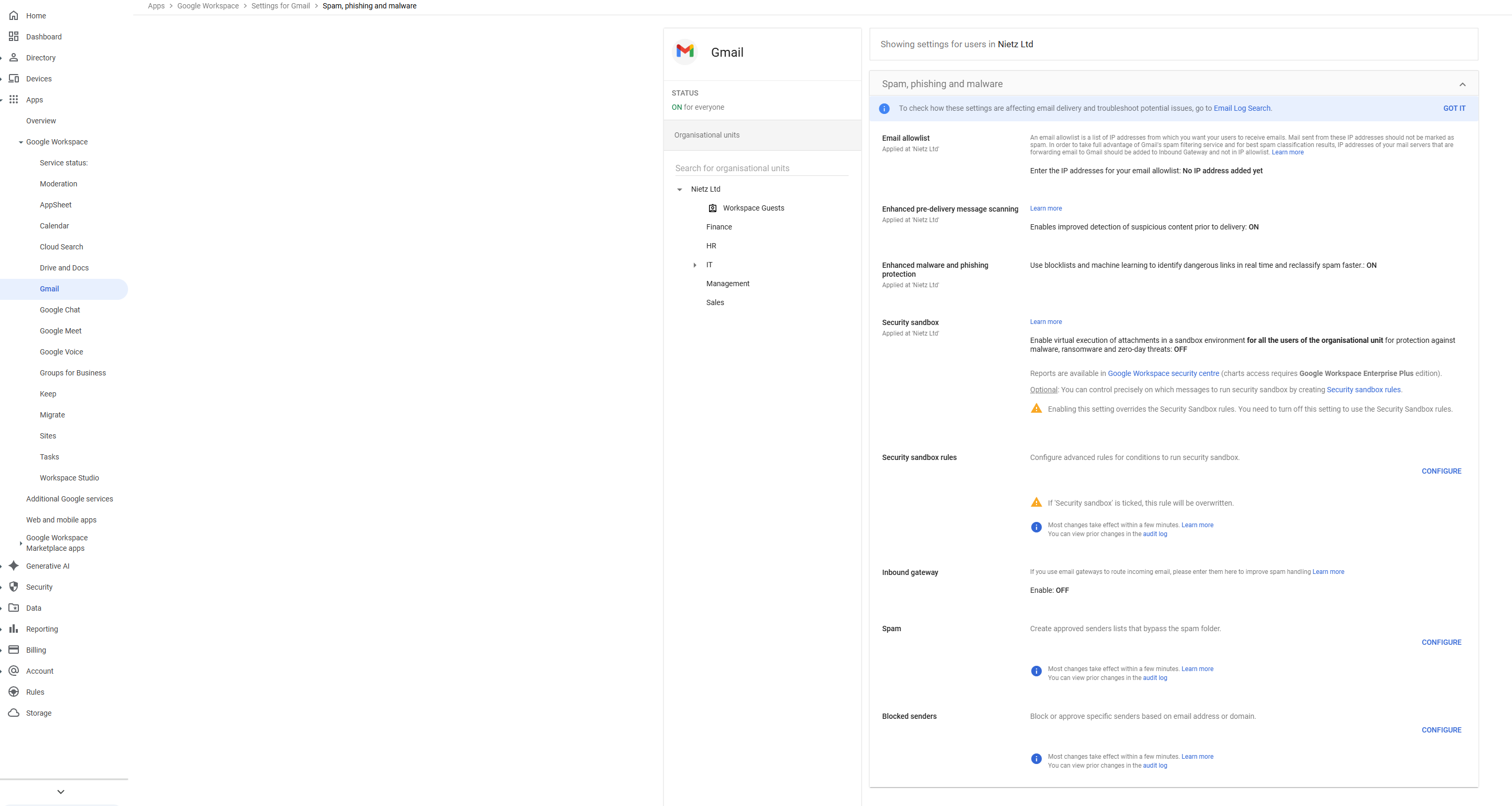
Configuration includes:
Enhanced pre-delivery message scanning: Enabled
Enhanced malware and phishing protection: Enabled
Security sandbox: Disabled
This configuration:
Improves detection of malicious content
Reduces phishing risk
Aligns with SME-level security requirements
User Settings
User-level Gmail settings were configured to support collaboration while maintaining control.
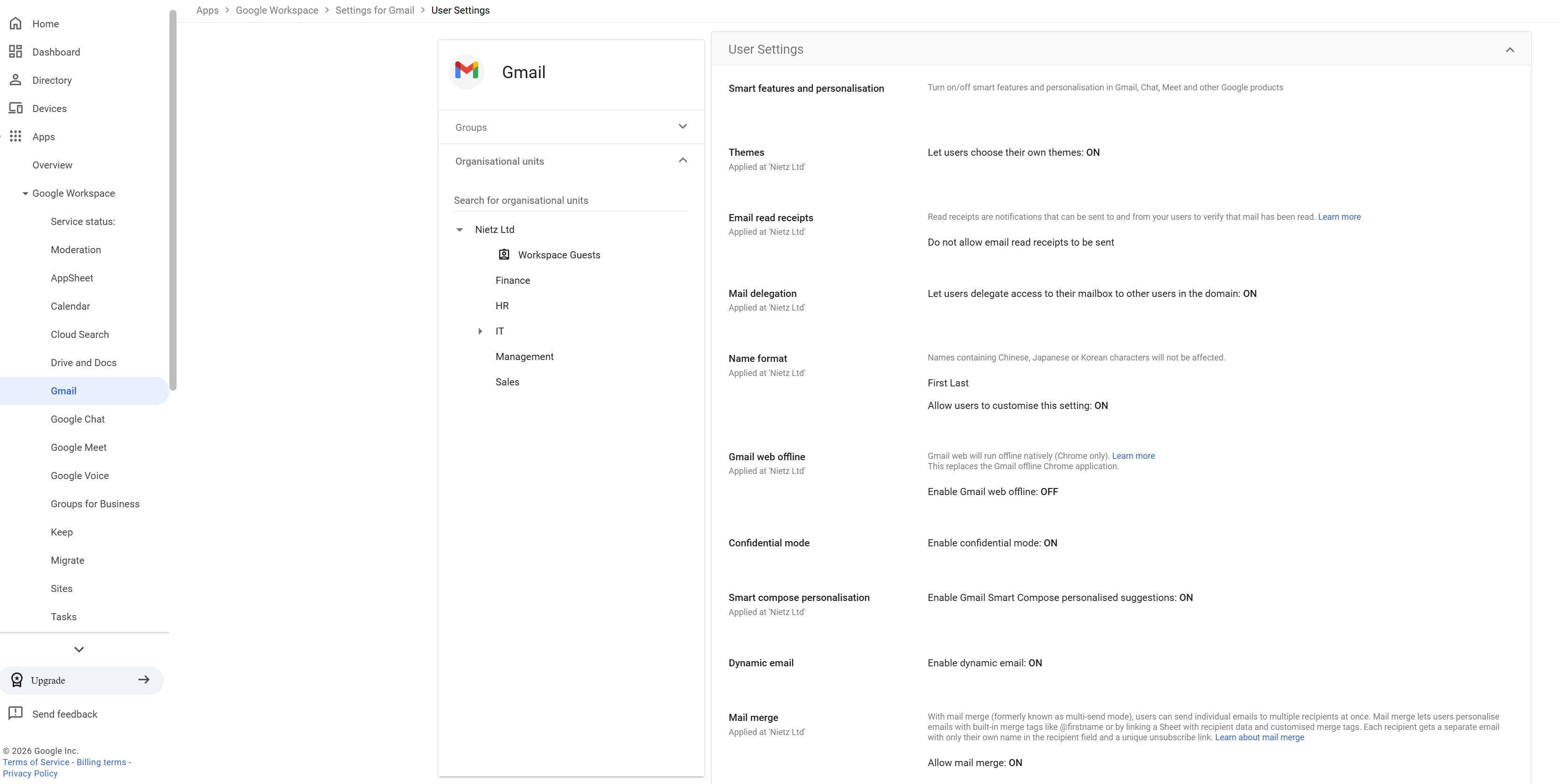
Configuration includes:
Mail delegation: Enabled
Sender visibility: Owner and delegate visible
Group delegation: Disabled
Gmail offline: Disabled
Confidential mode: Enabled
Smart features: Enabled
This approach:
Supports shared mailbox workflows
Maintains accountability for delegated actions
Reduces risk of uncontrolled access
Balances productivity with security
Email Authentication (DKIM)
DKIM authentication was configured during domain setup (see Section 01).
This ensures:
Outgoing emails are cryptographically signed
Email integrity is maintained
Deliverability and trust are improved
Summary
Evidence covered:
Configuration of Gmail security protections
Implementation of user access controls
Use of authentication to improve email trust
Alignment with practical business requirements
These settings provide a secure and functional email environment.